The short version
- 01A good default is 15 to 30 seconds after load combined with 40 to 50% scroll depth; use 5 to 10 seconds only where visitors expect an offer.
- 02Calculate your own delay as one third to one half of the page's average engagement time in GA4, and switch to scroll or exit intent if that exceeds about 60 seconds.
- 03Judge timing by submissions per 100 visitors, not popup conversion rate, because longer delays raise the rate while reaching fewer people.
- 04Pause the timer while the tab is hidden, and never open a full-screen popup on mobile right after a visitor arrives from search.
- 05Pricing and product pages suit exit intent; checkout should never get a timed popup.
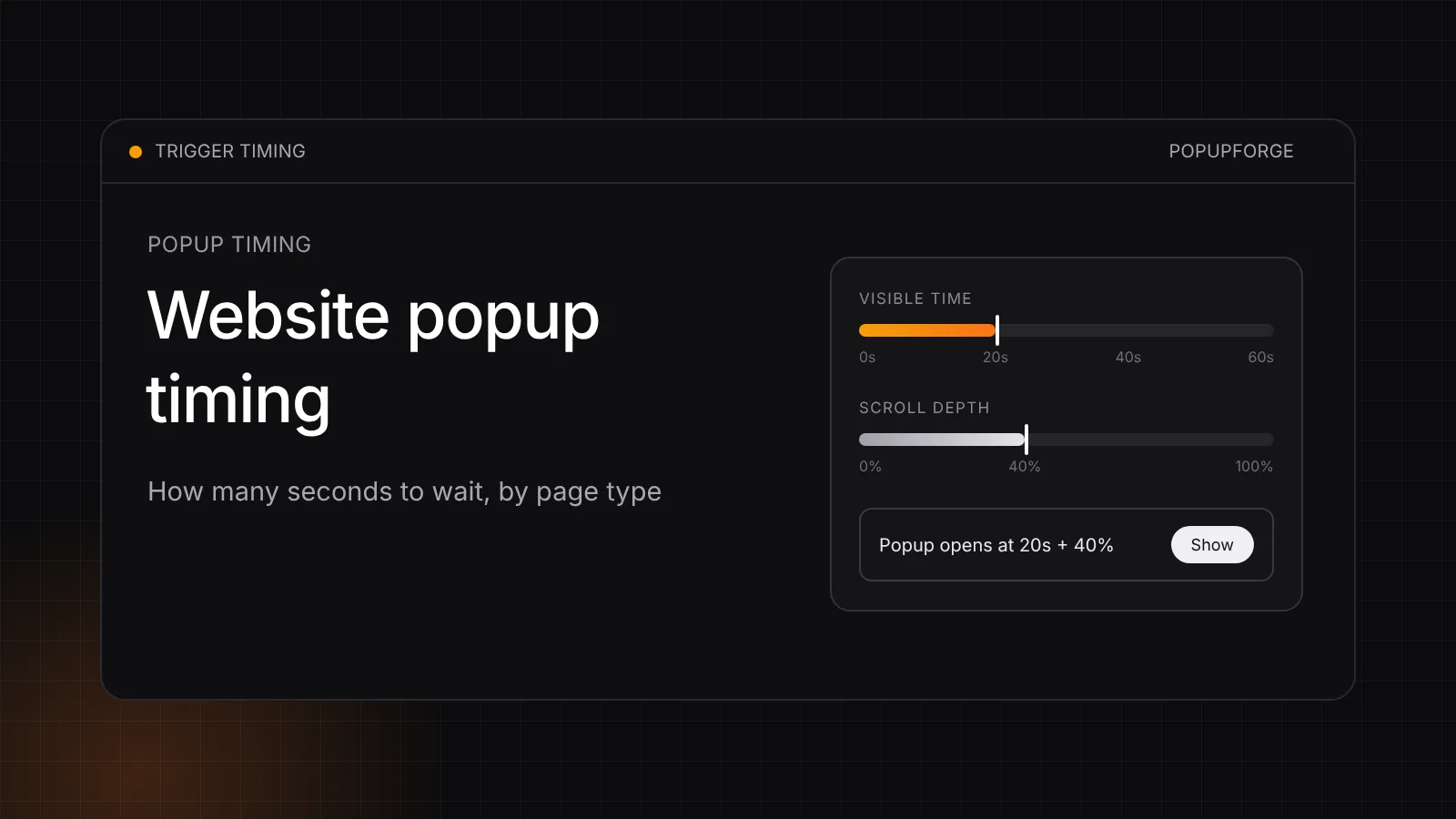
Short answer: for most websites, a good default popup timing is 15 to 30 seconds after the page loads, combined with a scroll depth of roughly 40 to 50%, so the popup reaches people who are actually reading. Use a shorter delay of 5 to 10 seconds only on pages where visitors arrive expecting an offer, such as a promotion landing page. On mobile, never open a full-screen popup in the first seconds after a visitor arrives from Google search; use a slide-in or wait for real engagement. On checkout pages, do not use a timer at all.
Those numbers are starting points, not universal truths. The right delay depends on how long people actually stay on that specific page, and you can work it out from your own analytics in a few minutes. This guide gives you a starting delay for each page type, a simple way to calculate your own, the metric to judge it by, a small code example that combines time and scroll correctly, and the mobile rules that keep a well-timed popup from becoming an SEO problem.
Website popup timing by page type (in seconds)
Use this table as the first version of your timing, then refine it with the calculation in the next section.
| Page type | Starting delay | Pair it with | Why |
|---|---|---|---|
| Long blog article or guide | 30 to 60 s | 50% scroll depth, or exit intent | Readers need time to reach the point where a related offer makes sense |
| Short blog post or news item | 15 to 20 s | 40% scroll depth | Sessions are short, so a long timer rarely fires |
| Homepage | 10 to 20 s | Exit intent or a second pageview | Visitors are still orienting; let them choose a path first |
| Ecommerce product page | 15 to 30 s, or exit intent | Cart state, product views | Interrupting product evaluation costs more than the popup gains |
| Promotion or campaign landing page | 5 to 10 s | URL targeting on the campaign page | The visitor arrived expecting the offer |
| Pricing page | No timer | Exit intent after at least 30 s on page | Pricing visitors are deciding; a timer interrupts the decision |
| SaaS feature page | 20 to 40 s | 50% scroll depth | Behaves like a short article |
| Paid ad landing page | 0 to 5 s only if the popup is the offer | Click trigger otherwise | Message match matters more than the delay |
| Checkout | Never on a timer | Exit intent or nothing | Anything that blocks payment loses revenue |
| Mobile visitor from organic search | No full-screen popup on arrival | Slide-in after 20 to 30 s plus scroll | Google's interstitial guidance applies here |
Two patterns stand out. First, the more a page is about a decision (pricing, checkout, product), the less a timer helps and the more exit intent or a click trigger makes sense. Second, the longer and more editorial a page is, the more a scroll condition beats a pure delay, because reading progress is a better interest signal than elapsed time.
Why "how many seconds" is not enough on its own
A timed popup uses elapsed time as a proxy for interest. That proxy breaks in three ways.
Idle and background tabs. A visitor who opens your page in a new tab and reads something else for a minute has spent sixty seconds on your page as far as a naive timer is concerned. When they switch back, they get a popup before reading a word.
Fast scanners. Someone who scrolls straight to the section they need may have consumed most of the page in ten seconds. A 45-second timer reaches them after they have already left.
Very short or very long pages. Fifteen seconds is the introduction of a long guide and the entire visit on a short landing page. A single site-wide delay is wrong for both.
There are also two opposite failure modes to keep in mind. Too early and the popup interrupts people who have not yet seen any value, which reads as an ad, gets dismissed reflexively, and on mobile can conflict with Google's guidance. Too late and the timer simply never fires for most visitors. A 60-second delay on a page where most engaged sessions last 40 seconds shows the popup to a small minority, and the campaign looks like it "doesn't convert" when it barely ran.
How to calculate the right popup delay for your own pages
You do not need a testing tool to pick a sensible delay. You need one number per page: how long people actually engage with it.
- Find the engagement time for the page. In Google Analytics 4, open Reports, then Engagement, then Pages and screens, and read the average engagement time column for the page you are targeting. Use the page-level number, not the site-wide average, because a blog post and a pricing page behave completely differently.
- Set the delay at roughly one third to one half of that number. If the average engagement time is 75 seconds, start between 25 and 35 seconds. That timing lands after the visitor has seen real content but before most of them leave.
- Apply a floor and a ceiling. Below about 5 seconds, a modal is effectively an on-load popup; only use that for offers the visitor expects. If your calculation produces more than about 60 seconds, switch to a scroll-depth or exit-intent trigger instead, because a timer that long will reach too few people.
- Test one shorter and one longer variant. Run your calculated delay against a version 50% shorter and one 50% longer, one change at a time, and compare them on the metric in the next section.
Averages are pulled upward by a few very long sessions, so treat the result as a ceiling rather than a precise target. If you can see the distribution in an exploration report, the median is a better input than the mean.
Here is how that works out for four typical pages:
| Page | Average engagement time | Calculated delay | Recommended trigger |
|---|---|---|---|
| Long tutorial | 2 min 40 s | 53 to 80 s | 50% scroll depth, exit intent as a fallback |
| Product page | 48 s | 16 to 24 s | 20 s delay, or exit intent |
| Homepage | 35 s | 12 to 18 s | 15 s delay |
| Pricing page | 1 min 10 s | Not a timer page | Exit intent only |
Judge timing by submissions per visitor, not conversion rate
The most common way to get popup timing wrong is to measure it with the popup's own conversion rate. A longer delay almost always raises that rate, because only the most engaged visitors are still around to see the popup. It can still lower the number of leads you collect.
The metric that captures both effects is submissions per 100 page visitors:
submissions per 100 visitors = share of visitors who see the popup × popup conversion rate × 100
A hypothetical example shows the trade-off:
| Delay | Visitors who see it | Popup conversion rate | Submissions per 100 visitors |
|---|---|---|---|
| 5 s | 80% | 2.0% | 1.6 |
| 30 s | 35% | 5.0% | 1.75 |
| 60 s | 15% | 7.0% | 1.05 |
The 60-second popup has the best conversion rate and the worst result. The 5-second popup reaches the most people but annoys the most people too, and on mobile it carries the most SEO risk. The 30-second version wins on leads while interrupting fewer visitors. Your numbers will differ, which is the point of measuring them. The popup conversion rate calculator does the per-popup arithmetic; multiply by the share of visitors who saw it to compare delays fairly.
Combine time with scroll depth (and pause for hidden tabs)
The most reliable timing rule for content pages combines two conditions: a minimum amount of visible time on the page and a minimum scroll depth. Requiring both filters out idle tabs and accidental flicks. Requiring either one reaches more visitors at the cost of some precision. Start with "both" on long content and "either" on short pages.
The example below counts only time while the tab is visible, using the Page Visibility API, checks scroll progress, and opens a native dialog element once, respecting a seven-day cooldown:
<script>
(() => {
  const DELAY_MS = 20000;   // 20 seconds of visible time
  const MIN_SCROLL = 0.4;   // 40% of the page
  const COOLDOWN_DAYS = 7;
  const KEY = "popupLastShown";

  try {
    const last = Number(localStorage.getItem(KEY) || 0);
    if (Date.now() - last < COOLDOWN_DAYS * 864e5) return;
  } catch (e) { /* storage blocked: still allow one show */ }

  let visibleMs = 0;
  let lastTick = Date.now();
  let shown = false;

  const scrolled = () =>
    (window.scrollY + window.innerHeight) / document.documentElement.scrollHeight;

  const tick = () => {
    const now = Date.now();
    if (document.visibilityState === "visible") visibleMs += now - lastTick;
    lastTick = now;
    if (!shown && visibleMs >= DELAY_MS && scrolled() >= MIN_SCROLL) {
      shown = true;
      clearInterval(timer);
      try { localStorage.setItem(KEY, String(Date.now())); } catch (e) {}
      document.getElementById("signup-popup").showModal();
    }
  };

  const timer = setInterval(tick, 500);
  document.addEventListener("visibilitychange", () => { lastTick = Date.now(); });
})();
</script>
The dialog itself needs a heading, a labeled close button and a form; the full accessible markup is in how to add a popup to your website. If you change MIN_SCROLL to 0, the rule becomes a pure visible-time delay that still ignores background tabs, which is already better than most timers.
Mobile popup timing and Google's interstitial guidance
Mobile is where timing has consequences beyond conversion. Google's guidance on intrusive interstitials warns against dialogs that cover the main content immediately after a visitor navigates to a page from search results, or that the visitor must dismiss before reading. Legally required notices such as cookie consent are treated differently, and banners that use a reasonable amount of screen space are not the problem.
In practice that leads to a few mobile rules:
- No full-screen modal on arrival from search. Wait for real engagement: visible time plus scroll, or a click.
- Prefer a slide-in or bottom sheet on mobile. A smaller format can appear earlier because it does not block the content.
- Lengthen delays on mobile rather than shortening them. Mobile sessions are often shorter, which tempts teams to fire sooner. It is usually better to use a scroll trigger, which naturally adapts to how fast someone reads.
- Do not stack overlays. If a consent banner is showing, the marketing popup waits until a choice has been recorded.
Layout matters as much as timing here: the mobile popup best practices checklist covers viewport height, the on-screen keyboard and tap targets, and the popup design best practices guide covers size and position for each device.
Time delay vs scroll vs exit intent vs click: which trigger when
Timing is a property of the trigger you choose. This comparison helps you pick the right one before tuning the seconds.
| Trigger | Best for | Weakness | Typical setting |
|---|---|---|---|
| Immediate | Legal notices, offers the visitor expects | Interrupts before any value is shown | 0 s |
| Time delay | Short pages, simple setups | Counts idle time unless you pause hidden tabs | 10 to 30 s |
| Scroll depth | Articles and long landing pages | Fast thumb scrolling on mobile | 40 to 60% |
| Exit intent | Pricing, product and cart pages | Reliable on desktop, approximate on mobile | On exit signal |
| Click | Content upgrades, demos, "get the guide" | Needs a visible button or link | On click |
Exit intent deserves its own note: it does not interrupt reading at all, which is why it suits decision pages. The exit-intent popup guide explains how detection works on desktop and why mobile needs different signals. A click trigger is the least intrusive option of all, because the visitor asks for the popup; the Nielsen Norman Group's article on modal and nonmodal dialogs explains why unrequested modals cost attention.
Timing across visits: frequency matters as much as seconds
A perfect 20-second delay shown on every pageview is still annoying by the third page. Timing within a visit and frequency across visits are one decision.
- Once per session is a sensible default for most campaigns.
- After a dismissal, wait days rather than pages. Seven to fourteen days is a common starting cooldown.
- After a submission, never show the same campaign again to that visitor.
- Returning subscribers should see a different message, or nothing, rather than the signup they already completed.
These rules are usually called frequency capping. Without them, any timing experiment is distorted, because the same people see the popup again and again.
Common popup timing mistakes
One delay for the whole site. Your homepage, blog and pricing page have different visit lengths and different intent. Time them separately, or at least group them.
A delay longer than most visits. If the timer exceeds typical engagement time, the popup barely runs. Check engagement time before blaming the offer.
Judging by popup conversion rate alone. As the example above shows, the highest rate can produce the fewest leads. Compare submissions per visitor.
Firing on mobile arrival from search. It annoys visitors and is the specific pattern Google's guidance describes. Use engagement-based triggers on mobile.
Competing with the cookie banner. Two overlays at once confuse everyone. Let the cookie consent banner resolve first.
Counting background-tab time. Pause the timer when the tab is hidden, as in the code example above.
Testing timing and offer at the same time. Change one variable per test. If the delay and the headline both change, you will not know which one moved the result.
How to set popup timing in PopupForge
PopupForge's builder has a Triggers tab where each popup gets one trigger: immediately, after a time delay (0 to 120 seconds), at a scroll depth (1 to 100% of the page), or on exit intent. The same tab controls how often it shows: on every pageview, once per session, or once per cooldown period of 1 to 90 days, with the popup hidden for visitors who already submitted. URL targeting decides which pages a popup runs on; device targeting and scheduling are part of the Pro plan.
Because each popup uses a single trigger, the practical way to apply this guide is one popup per page group: a scroll-depth popup targeted at your blog URLs, a time-delay popup on product pages, and an exit-intent popup on pricing. If you need the combined "visible time and scroll" rule from the code example, use it on a page you control directly. To get a first version quickly, the free AI popup generator drafts a brand-matched popup from your URL, and you set the timing before publishing.
Final recommendation
Start every popup with a timing that matches its page: 15 to 30 seconds plus partial scroll for most content, exit intent for decision pages, no timer at checkout, and nothing full-screen on mobile arrival from search. Then replace the defaults with numbers from your own analytics, set the delay at one third to one half of the page's engagement time, and judge every change by submissions per 100 visitors rather than by the popup's own conversion rate. A popup that appears when the visitor is ready is the cheapest conversion improvement available, and it costs nothing but a setting.
Reference
Terms in this guide
FAQ
Frequently asked questions
What is the best time to show a popup on a website?
For most content pages, 15 to 30 seconds after the page loads, combined with roughly 40 to 50% scroll depth. Shorten it to 5 to 10 seconds only on pages where visitors arrive expecting an offer, use exit intent on pricing and product pages, and never use a timer at checkout. Then adjust the delay to one third to one half of that page's average engagement time.
Is 5 seconds too early for a popup?
Usually, yes. Five seconds is effectively an on-load popup: most visitors have not seen any content yet, so the popup reads as an interruption. It can work on a campaign landing page where the visitor clicked an ad for that exact offer. On mobile visitors arriving from search, a full-screen popup that early is the pattern Google's intrusive interstitial guidance describes.
Should a popup show immediately when the page loads?
Only for messages the visitor expects or needs on arrival, such as a cookie consent notice or a regional notice. Marketing popups perform better and annoy fewer people when they wait for a signal of interest such as visible time on page, scroll depth, exit intent or a click.
What is the best popup timing on mobile?
Avoid any full-screen popup right after a mobile visitor arrives from search. Use a slide-in or bottom sheet triggered by scroll depth or by 20 to 30 seconds of visible time, and make sure it can be closed with one tap. Scroll triggers often work better than fixed delays on mobile because they adapt to reading speed.
Does popup timing affect SEO?
It can on mobile. Google warns against interstitials that cover the main content immediately after a visitor navigates from search results. Waiting for engagement, using smaller formats such as slide-ins and banners, and keeping legally required notices separate avoids that risk.
Is exit intent better than a time delay?
It depends on the page. Exit intent never interrupts reading, so it suits pricing, product and cart pages where visitors are making a decision. A time delay or scroll trigger suits content pages, where you want to reach readers before they finish. Many sites use scroll depth on articles and exit intent on decision pages.
Put the guide into practice
See three popup directions for your website.
Paste your URL and get three brand-matched popup concepts to review. It is free to try and does not require an account.
Generate 3 popup ideas free