The short version
- 01Choose whether the website saves a request or sends visitors directly to a chat.
- 02Use a short generic message and keep private form answers out of the destination URL.
- 03Test the receiving end and distinguish a link click from a received conversation.
A WhatsApp lead form needs a clear handoff. Decide whether your website saves a request first or sends visitors directly to a chat. Opening WhatsApp does not send a message.
Choose the route before writing the button
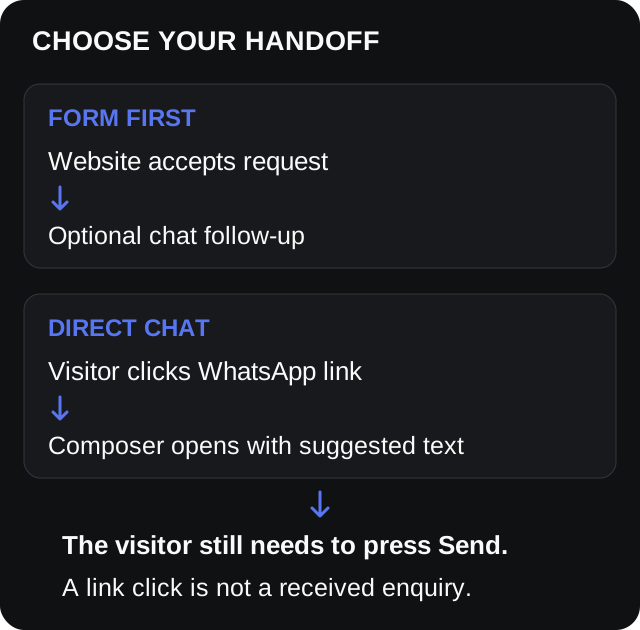
A process diagram, not evidence that a message was delivered.
Use form first when your team needs a saved request even if the visitor never opens WhatsApp. Offer the chat step only after the receiving system accepts the form.
Use direct chat when the conversation is the next step. Do not add a form merely to collect the same information twice.
For a return call, use the callback request template and label the button accordingly.
Keep the opening message short
WhatsApp's click-to-chat instructions describe a destination number and optional URL-encoded text. The suggested message appears in the composer; the visitor still needs to send it.
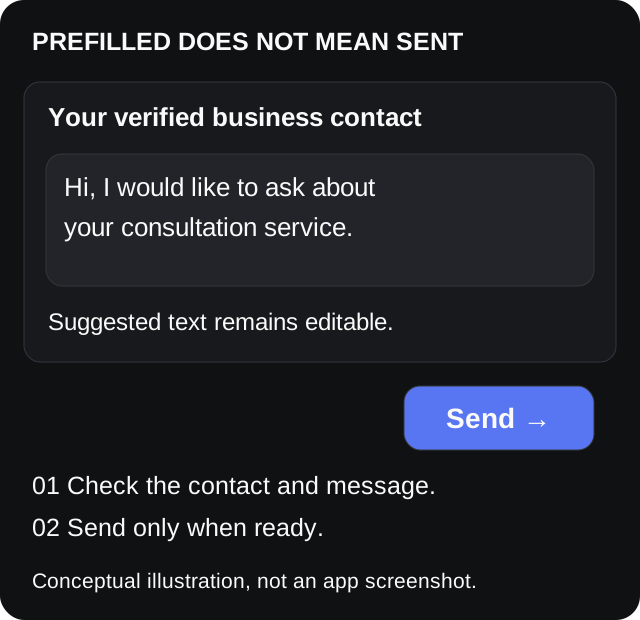
Conceptual interface illustration, not a WhatsApp screenshot or a PopupForge delivery result.
Adapt one of these examples:
- Service: “Hi, I would like to ask about your consultation service.”
- Property: “Hi, I have a question about listing REF-EXAMPLE.” Use a public reference.
- Form follow-up: “Hi, I have submitted an enquiry on your website.” Use only after acceptance.
Do not promise an appointment or response time unless your process supports it.
Build and check the link
https://wa.me/BUSINESS_NUMBER?text=ENCODED_MESSAGE
Use your verified business number in international digits-only format. Omit the plus sign, spaces, brackets and dial-out prefix. Keep zeroes that belong within the actual international number.
Encode the original message once with encodeURIComponent:
const message = "Hi, I'd like to ask about design & installation.";
const encodedMessage = encodeURIComponent(message);
const link = `https://wa.me/${businessNumber}?text=${encodedMessage}`;
This illustrative code builds a link; it does not send anything. Check the decoded text, including ampersands and accented letters.
Keep private answers out of the URL. Prefer generic copy or a public product reference. Encoding is not encryption. Google's enhanced measurement documentation lists link_url among outbound-click parameters, so inspect what your analytics configuration captures.
A five-check release test
Use a destination and sender controlled by your team:
- Phone and desktop: correct contact and complete editable text?
- Cancel: does your reporting avoid counting this as a received enquiry?
- Rejected form: does the interface avoid claiming acceptance?
- No WhatsApp: is an ordinary contact route available?
- Send a labelled test: does the receiving colleague confirm arrival?
Track link clicks separately from received conversations. The GA4 lead tracking checklist explains accepted results versus attempts.
Apply it to your PopupForge funnel
The homepage demo offers a Phone call or WhatsApp preference in the Instant callback example. Selecting it alone does not prove that a chat opened or a message arrived.
Verify your actual published delivery route. Use the form examples for field choices and the error message guide for rejected submissions.
Ready means: the receiving team gets the test through the route you promised, and the visitor knows which step is complete.
Reference
Terms in this guide
FAQ
Frequently asked questions
Does a WhatsApp prefilled message send automatically?
The click-to-chat link puts the suggested text in the chat composer. The visitor still needs to send it. Opening the link is not evidence that the business received a message.
Does choosing WhatsApp in the PopupForge demo start a real conversation?
The Instant callback example lets you choose a contact preference. That choice alone does not establish that a chat opened or a message was delivered. Verify your published delivery route and any separate chat link before launch.
Put the guide into practice
See three popup directions for your website.
Paste your URL and get three brand-matched popup concepts to review. It is free to try and does not require an account.
Generate 3 popup ideas free